
AI-powered illustrated children's storybooks, on your device.
Type a story idea, pick a style, and get a fully illustrated book with text, cover art, and print-ready PDF export.
How It Works
From idea to illustrated storybook in four simple steps.




Describe
"A curious fox building a moonlight library in the forest"
Customize
Pick page count and illustration style

Generate
Text streams live, then illustrations paint concurrently

Export
Flip through pages, then save as 300 DPI print-ready PDF
What's Built In
Print-quality storybooks, offline by default, with tools to tweak every page.

Works Offline
Runs entirely on your device. No internet, no accounts. Your stories never leave your Mac.

Print-Ready PDF
Exports at 300 DPI in real book dimensions. Take the PDF to a print shop or print it at home.

Works Offline
Runs entirely on your device. No internet, no accounts. Your stories never leave your Mac.

Print-Ready PDF
Exports at 300 DPI in real book dimensions. Take the PDF to a print shop or print it at home.

Safe for Kids
Content filters keep stories age-appropriate for ages 3–8. Set audience mode to "Kid" for simpler vocabulary.

Choose Your Length
3 pages for a quick bedtime story, 20 for a full adventure. You set the page count.

Redo Any Page
Regenerate just that page’s text or illustration without restarting the whole book.

Save Your Library
Books save automatically. Re-read, export, or share them whenever you want.

Safe for Kids
Content filters keep stories age-appropriate for ages 3–8. Set audience mode to "Kid" for simpler vocabulary.

Choose Your Length
3 pages for a quick bedtime story, 20 for a full adventure. You set the page count.

Redo Any Page
Regenerate just that page’s text or illustration without restarting the whole book.

Save Your Library
Books save automatically. Re-read, export, or share them whenever you want.

Go Further with Hugging Face
StoryFox works on its own with your Mac's built-in AI. Connect a free Hugging Face account to unlock better stories and sharper illustrations from open models like OpenAI GPT-OSS and FLUX.1.

Better Stories
Models like OpenAI GPT-OSS write longer, more coherent stories with varied vocabulary.

Sharper Illustrations
FLUX.1 from Black Forest Labs produces sharper details, better lighting, and more consistent characters.

Completely Free
Hugging Face’s free tier covers plenty of storybooks. No subscriptions, no hidden costs.

Secure Connection
Login happens through a secure sign-in window. StoryFox only gets permission to generate.
Better Stories
Models like OpenAI GPT-OSS write longer, more coherent stories with varied vocabulary.
Sharper Illustrations
FLUX.1 from Black Forest Labs produces sharper details, better lighting, and more consistent characters.
Completely Free
Hugging Face’s free tier covers plenty of storybooks. No subscriptions, no hidden costs.
Secure Connection
Login happens through a secure sign-in window. StoryFox only gets permission to generate.
Get started in 3 steps
Create a free account
Sign up at huggingface.co.
Sign in from the app
Open settings, tap “Sign in with Hugging Face.”
Pick your models
Choose cloud models for text and images.
Completely free. No credit card required.
Already have a Hugging Face account? Just open StoryFox settings and sign in. Your existing account works.
Three Distinct Styles
Choose the perfect visual style for your story.

“Classic children's book — painterly brushstrokes and soft shading”
Illustration
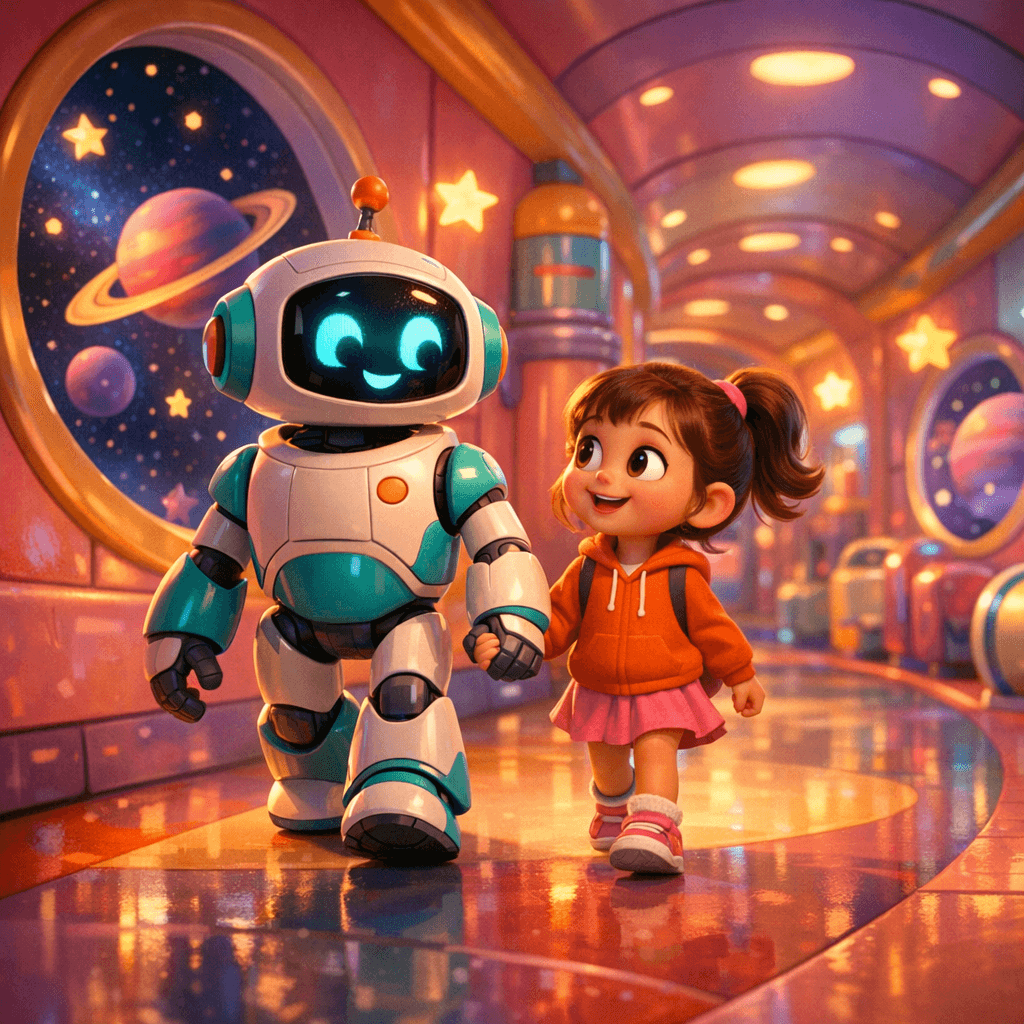
“Pixar-inspired cartoon — rounded shapes and cinematic lighting”
Animation

“Hand-drawn pencil lines with watercolor wash fill”
Sketch
“Classic children's book — painterly brushstrokes and soft shading”
Illustration
“Pixar-inspired cartoon — rounded shapes and cinematic lighting”
Animation
“Hand-drawn pencil lines with watercolor wash fill”
Sketch
What You Need
Three things, all free.

Requires the latest macOS with Apple Intelligence.

Needs the Neural Engine in M1 or newer chips.

The on-device text and image generation runs through Apple Intelligence.

Requires the latest macOS with Apple Intelligence.

Needs the Neural Engine in M1 or newer chips.

The on-device text and image generation runs through Apple Intelligence.

A Note on Apple's On-Device Model
StoryFox exists because Apple already put capable AI models on your Mac. Apple Intelligence makes it possible to generate entire storybooks without an internet connection and without an account. Your children's stories never leave your device.
However, Apple's on-device model has strict content safety filters. These are important, but they can be overly conservative with creative content, flagging perfectly innocent story pages more often than we'd like. StoryFox automatically retries with adjusted phrasing when this happens, and most pages generate successfully. But sometimes the on-device model still declines a prompt despite multiple attempts.
When this happens, we recommend connecting a free Hugging Face account. The cloud models are less restrictive with creative content and still completely free.